
An Unofficial Guide to Shopping at Aldi: Bonus Features (1st edition)
This page contains:
- Updates and errata
- A guide to accessing the Aldi Weekly Ads
Think we should add something to this page? Let us know.
Updates and Errata:
August 11, 2018: Aldi continues to change some of their naming. The Double Guarantee is now the Twice as Nice Guarantee (same parameters, though). Last year, Special Buys were renamed ALDI Finds.
July 3, 2017: Aldi has tweaked their weekly ads. Previews appear to be available on Mondays instead of Sundays, and the weekly ad menu has been revamped somewhat. Also, while our area Aldi ads take effect on a Wednesday, others take place on a Sunday. Check the local ad in your area to find out when your ads take effect. (If ads for the next week don’t appear in your area, you might try switching to an area with Sunday ads, such as a zip code in Cincinnati (i.e. 41073).
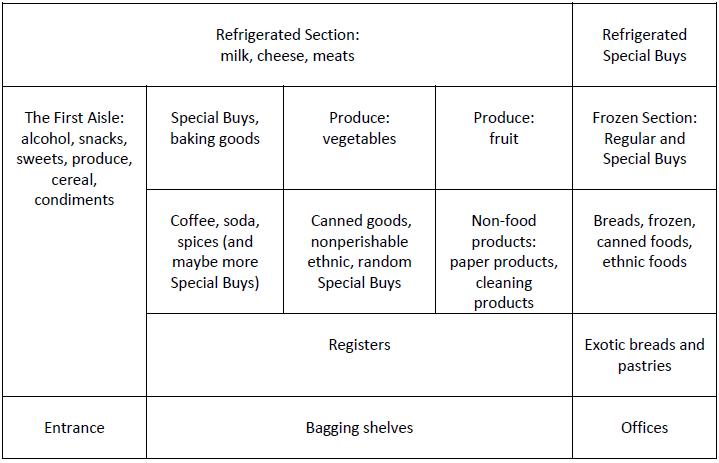
May 29, 2017: The book contains a (rough) layout of some Aldi stores. Here’s an enlargeable version:
A Guide to Accessing the Aldi Weekly Ads
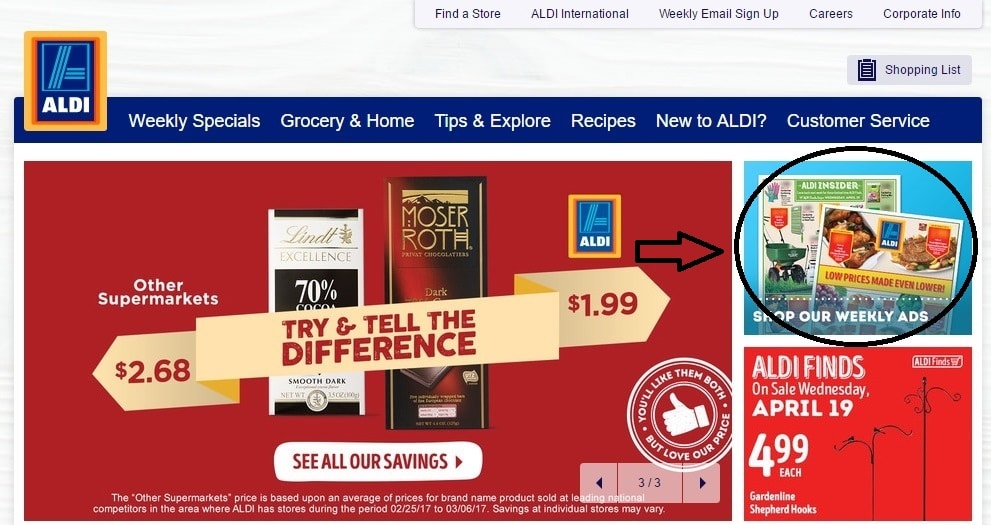
To access the ad, go first to aldi.us.
Then click on the “Shop the Weekly Ads” graphic on the right side:
From there you can access, depending on the day of the week, as many as three different ads: the current ad, the upcoming ad, and (on Sunday morning) the ad after that. On a Sunday morning, for example, you can see the ad for 10 days later by clicking on the ad farthest out from the current date:
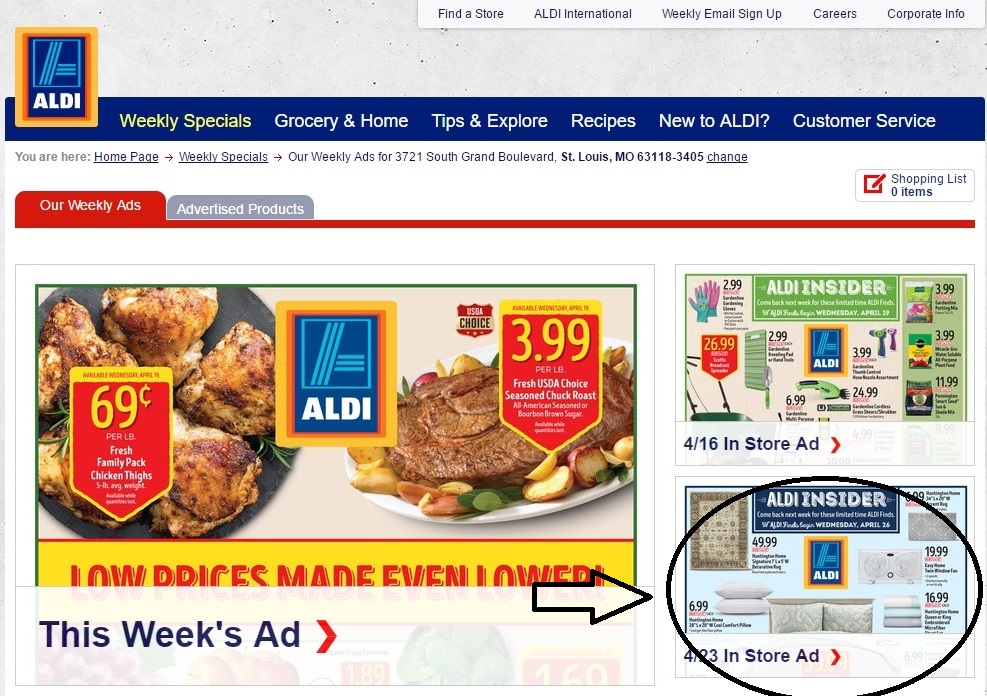
Both of these will take you to a full-color scan of the paper ad.
If you’d prefer more of a grid-style list, you can access it from the top menu:

Just be aware that only two ads (the current week and the next week) are available this way.