
Bauhn Smart Pan & Tilt Indoor Camera
This post contains affiliate links.
Joshua also contributed to this review.
When you’re away from home — whether you’re at work or you’re on vacation — you might want a way to monitor things.
I have a friend who had an indoor camera in her living room, and she could keep an eye on her young teen kids and mischievous dogs while she was at work. I also have a friend who uses an indoor camera to keep an eye on her foster kittens when she’s out of the house.
Or, maybe you don’t have kids, elderly live-in relatives, or pets to keep tabs on. Maybe you just want some extra security when you’re away from home.
Aldi is selling an indoor camera this fall. To the best of our knowledge, it’s the first time we’ve seen the grocer sell a product like this. I picked up one when it became available in my local Aldi.

The Bauhn Smart Pan & Tilt Indoor Camera is an Aldi Find. That means it’s only in stores for a short time. Each store should receive one shipment, and after that sells out, it’s gone. Aldi does not offer online ordering if this is out of stock at your local store. This was scheduled to arrive in stores October 1st, 2025.
The camera costs $24.99 in 2025. That’s in the price range of other indoor cameras I found on Amazon.

Here’s more information, according to Aldi:
- Free Wi-Fi setup via free Cocoon Connect app
- See, hear, and speak through the app with HD video, motion alerts, and 2-way audio
- Camera adjusts horizontally and vertically to see more of your space
- Offers 24/7 monitoring with local SD card or cloud recording options
- Motion detection and automatic alerts help monitor home, pets, and loved ones
The camera comes with a one-year warranty serviced by Balco Brands, a global consumer products shipping company we’ve seen behind other Aldi products. For service, call 1-800-372-5715 or email northamerica@balcobrands.com.
Unboxing the Camera + Basic Requirements:
When you open the packaging, you’ll find the camera itself, plus one USB cable, one mount, two plastic anchors and two mounting screws, and one user guide.

The user guide gives some key instructions before using the camera. You’ll need to know your Wi-Fi network and password. The camera requires a Wi-Fi connection to communicate to the Cocoon Connect app. The app requires iOS 10 or higher or Android 4.4 or higher. Given that iOS 10 was released in 2016 and Android 4.4 in 2013, most smartphones today should be compatible.
Installing the Cocoon Connect App:
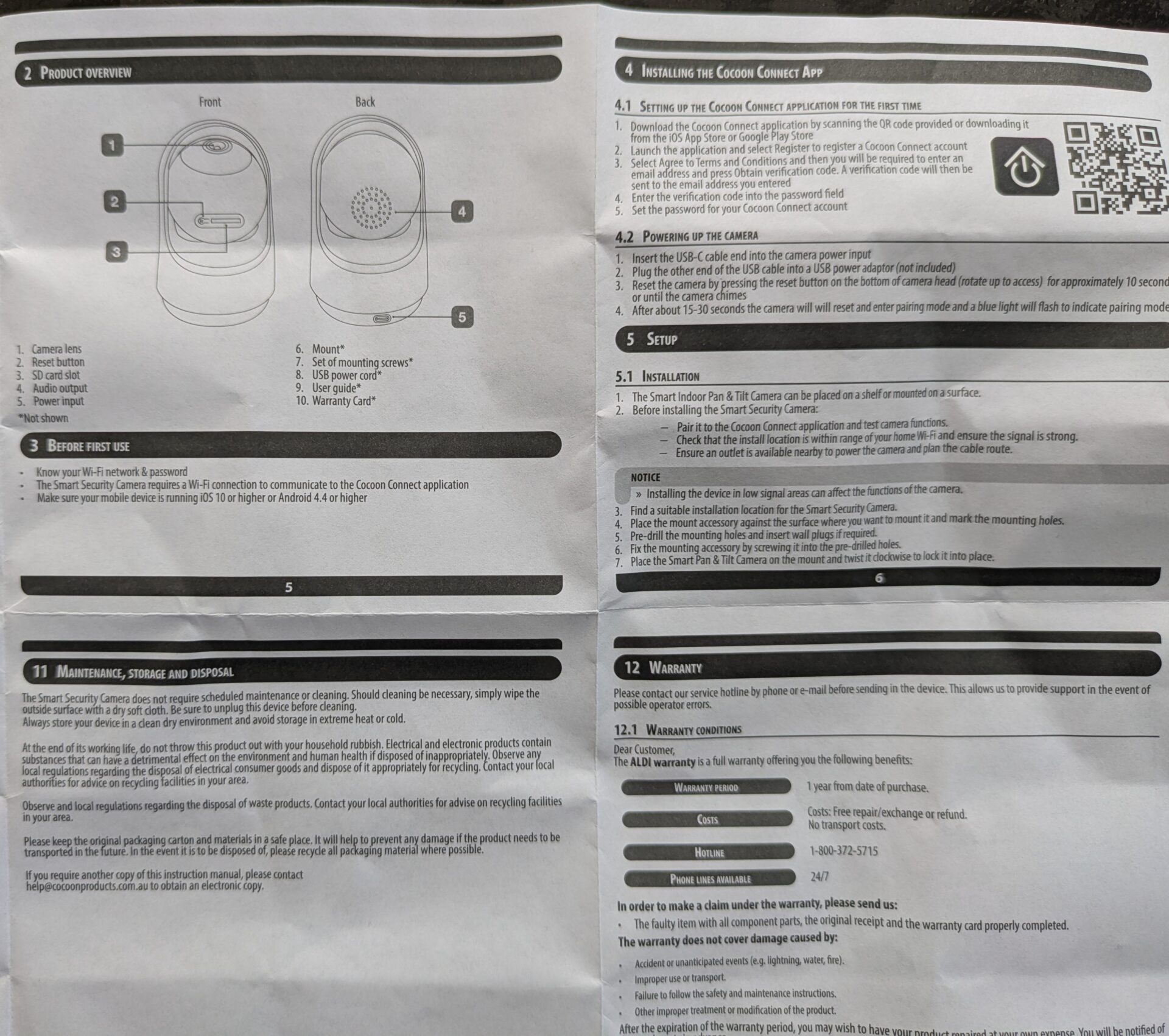
According to the packaging and manual, there are three ways to connect this camera: with Google Home, Amazon Alexa, or the Cocoon Connect App. You have to set up the Cocoon Connect app to use Google Home, but even after that, we couldn’t get the camera to work on Google Home. That left us with the Google Connect app, which is available on the Google Play Store as well as Apple’s App Store.
The app has 3.3 out of 5 stars across more than 570 reviews on the Google Play Store, and its last software update was in December of 2023. The App Store app has 4.8 out of 5 stars but in 2025 only has 19 reviews, with its last update in November of 2022. The app states the company behind it is Balco Brands Australia. Balco Brands is also the company that manages warranty service for this camera.
We tested the Android app.
The manual has a QR code you scan, or you can search and download the app from your chosen app store. Launch the app and select Register to register an Cocoon Connect account. Select Agree to Terms and Conditions, and then you’ll be required to enter an email address and press Obtain Verification Code. Once the code has been emailed to you, enter the code into the password field on the app, and set the password for your Cocoon Connect account. You may also need to enable certain permissions on your phone, such as Bluetooth, and enter your Wi-Fi password in to connect the camera to your network.
To power up the camera, insert the USB-C cable end into the camera power input. Plug the other end of the USB cable into a USB power adapter (not included). Reset the camera by pressing the reset button on the camera head (rotate up to access) for approximately 10 seconds or until the camera chimes. After about 15-30 seconds, the camera will reset and enter pairing mode, and a blue light will flash to indicate pairing mode.
Setting Up the Camera:

The user guide says the camera can be placed on a shelf or mounted on a surface using the included hardware. Before installing it with the hardware, make sure it’s paired to the app, check that the install location is within the range of your home Wi-Fi and ensure the signal is strong, and ensure an outlet is available nearby to power the camera. We opted to set our camera on a shelf, so I can’t speak to how easily this sets up if you mount it.
Once you have the camera paired with the app and installed where you want it, you can control it from the app, including panning and tilting.
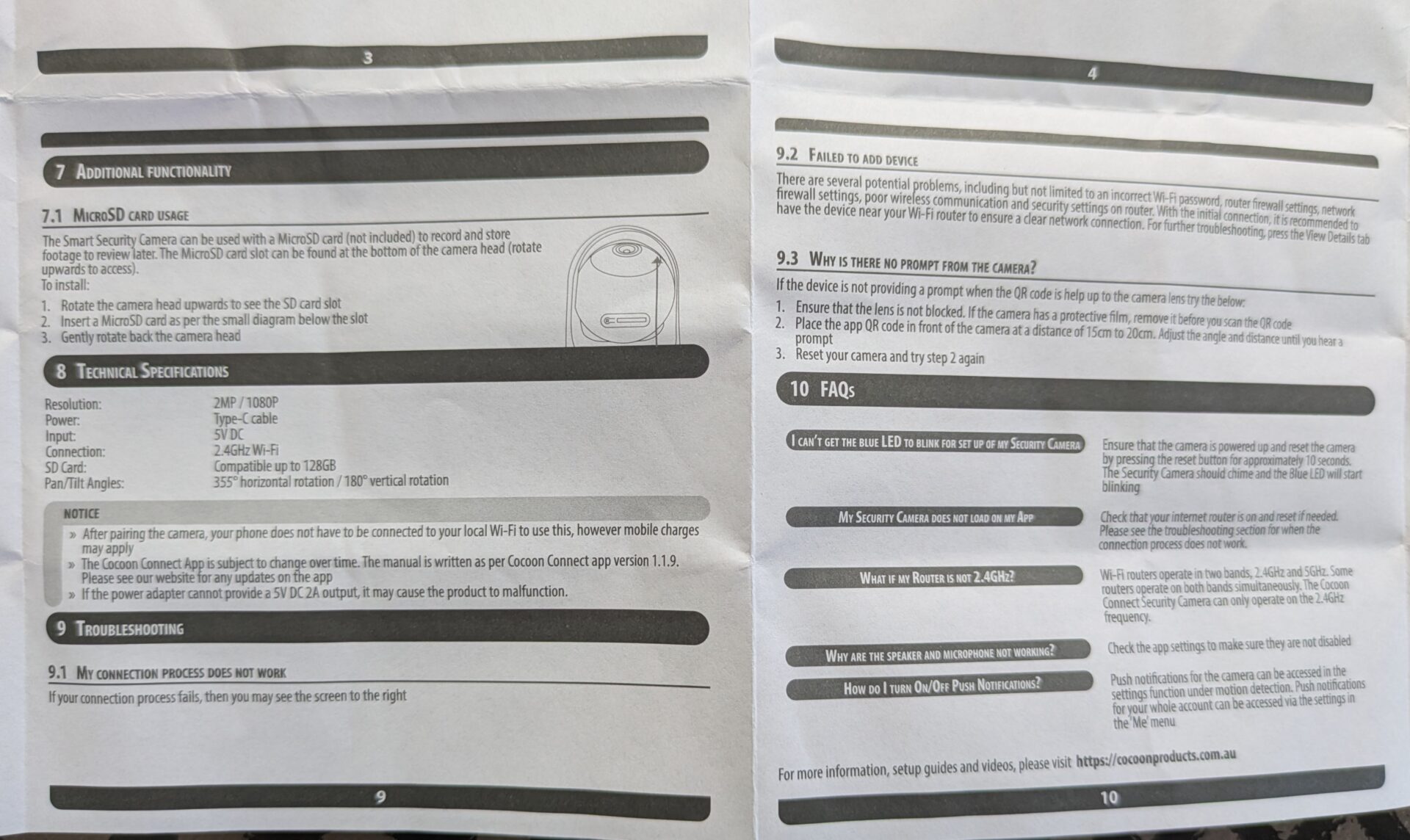
The camera also can be used with a MicroSD card (not included) to record and store footage to review later. The MicroSD card is at the bottom of the camera head (rotate upward to access).
Alternatively, if you want to store footage in the cloud, the app directs you to a subscription that costs $59.99 annually.
Our Thoughts:
So far, I haven’t had any problems using the app, but I also don’t intend to use this camera frequently or for any purpose other than occasionally checking in live on the Aldi Reviewer Cat when we’re away from home. I’m not going to set it up for notifications or alerts or store large amounts of footage. The app seems pretty simple to use if that’s all you’re using the camera for. It does have the capacity to take pictures to store in a photo gallery, which just saves to your phone.
The app is slow to pan the camera if you’re swiping with your finger, and you have to swipe a lot to get it to move. If you turn on the motion detector feature, though, it moves pretty efficiently.
The Verdict:
The Bauhn Smart Pan & Tilt Camera is a basic option if you want an indoor camera. If you want to store footage in the cloud, you’ll pay an additional fee of $59.99 annually. You also have the option to use a MicroSD card (not included) to store footage. So far, this camera seems okay for our purposes, which are pretty simple, like checking in on the cat when we’re out of the house. If you want more than that, you might want to look at other cameras and apps.



I’m having trouble getting camera to pair with phone via bluetooh