Ekids Character Digital Camera
This post contains affiliate links.
Aldi sells plenty of licensed fare, especially in its iconic middle aisle. Over the years, we’ve seen all kinds of properties pop up in the Aisle of Shame, from Star Wars to Paw Patrol. We ourselves have been known to pick up licensed products at Aldi on occasion, most notably ahead of our trip to Disney World in the summer of 2024.
In the spring of 2025, we spotted a collection of licensed digital cameras in the limited buy aisle. This was the first time we’d seen such a product in the grocer, so – as a tribute to one member of our family who likes watching Bluey – we picked up the camera themed around the dog from Down Under.

The Ekids Character Digital Camera is an Aldi Find. That means it’s only in stores for a short time, and once the initial stock is sold out, it’s gone. Aldi doesn’t ship products online, so if you can’t find it in your local store or stores, you won’t be able to find it.
Aldi sold three versions of the camera: Bluey, Spider-Man, and Frozen.
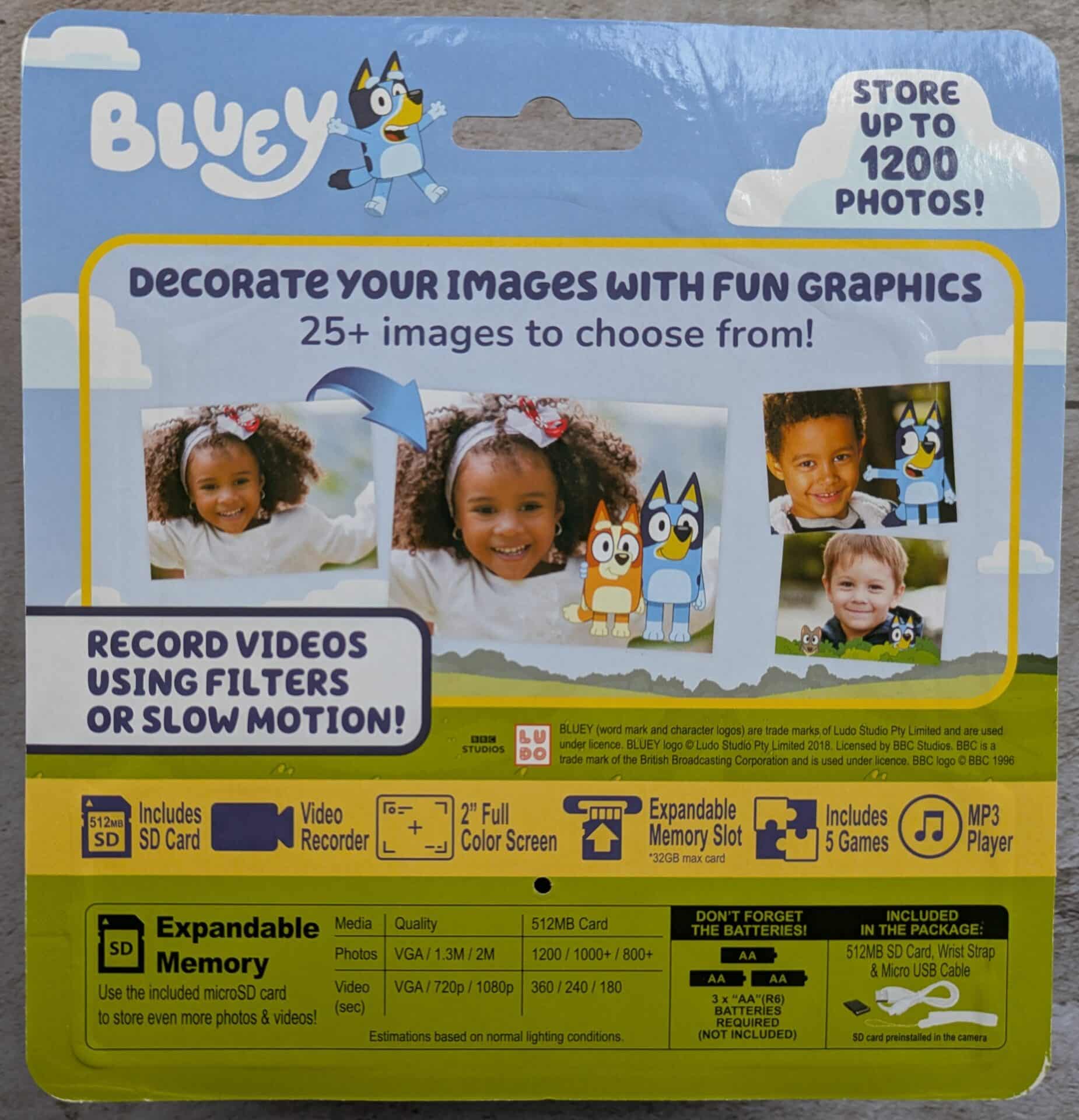
In April of 2025, we paid $24.99. That’s the same price the camera goes for on Amazon.
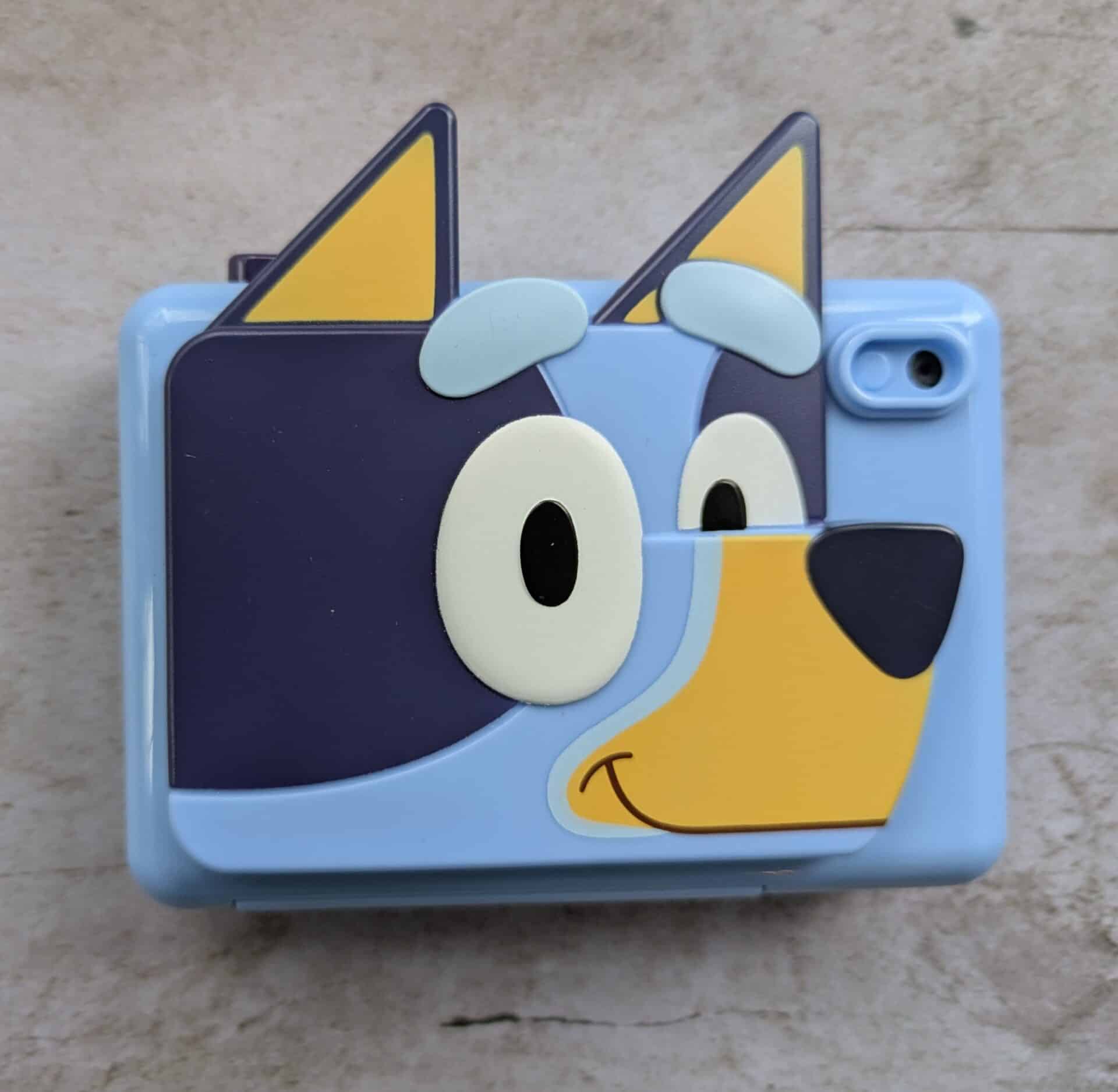
The camera comes with the camera itself, a connection cable for transferring data, a wrist strap, and a pre-installed 512 MB SD card for storage. The camera operates using 3 AA batteries, which are not included.
To make this camera safer for younger kids – and safer from younger kids – the SD card slot, data port, and AA battery slots are all inside of a compartment secured with a Phillips head screw. That means to transfer pictures from the camera to another device, or add music to the camera to listen to, you have to unscrew the compartment.
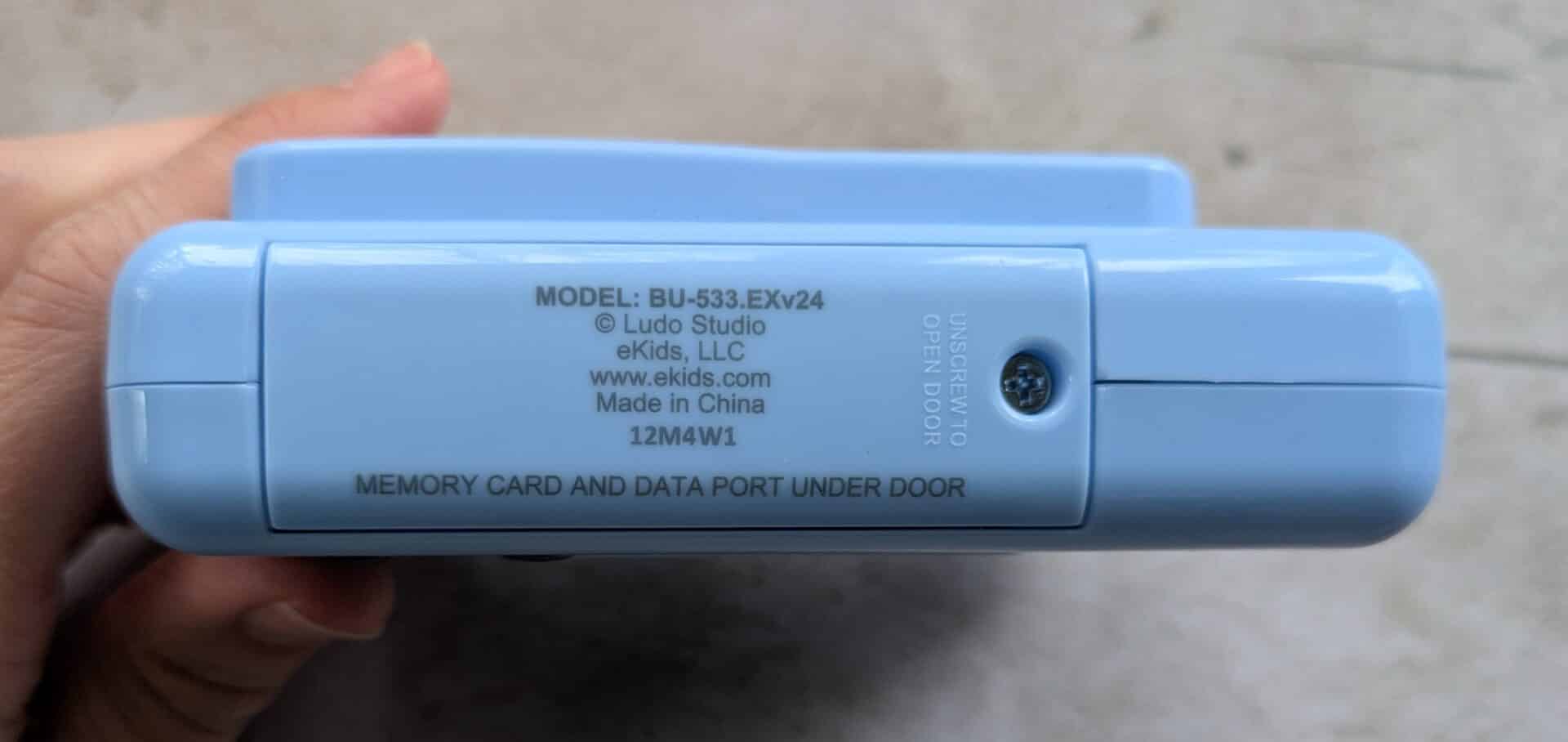
In addition, when you unscrew the compartment, the batteries are disconnected, which resets the time stamp on the camera. If having accurate time stamps is important to you, you’ll have to reset them every time you do a data transfer.
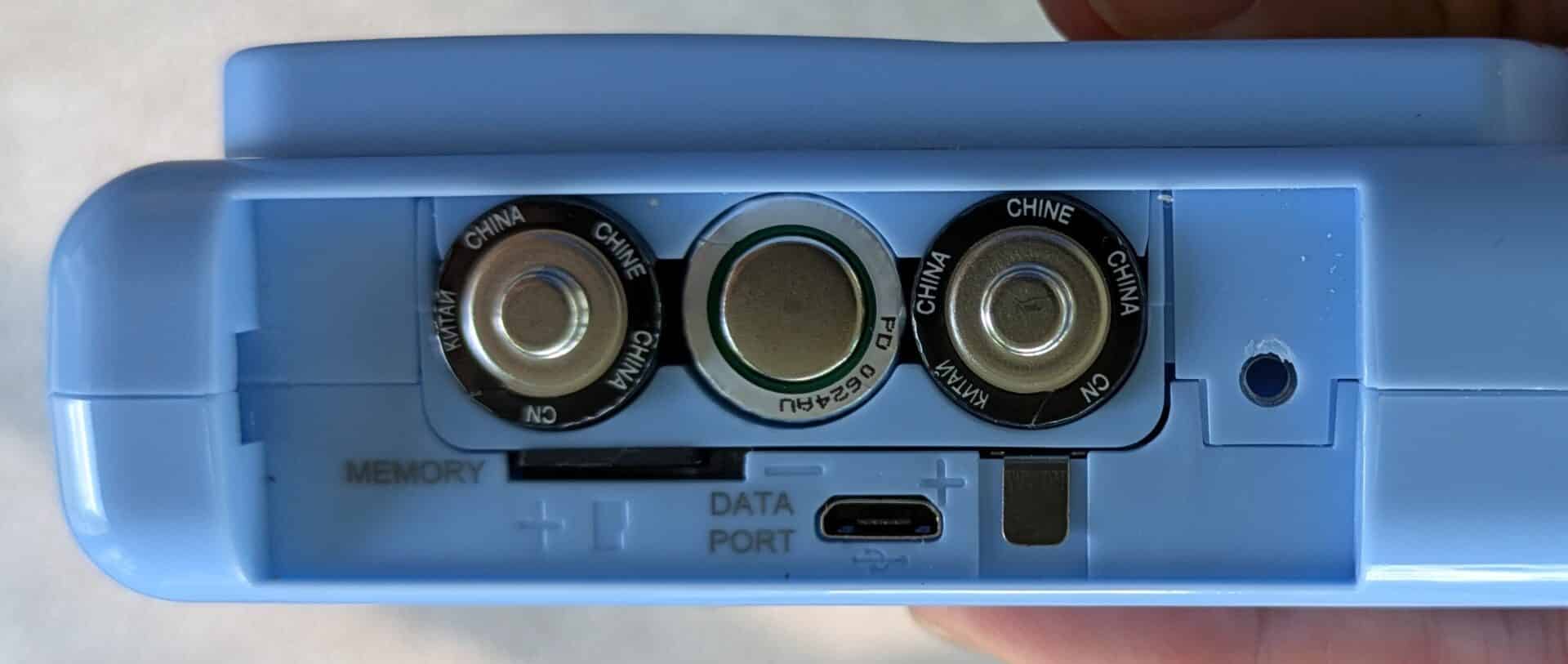
Speaking of data transfer, I thought about extracting the SD card, but decided against it after a few attempts. It’s wedged in there pretty good and I was concerned about damaging it.
The camera is made to be easily operable by young kids, and it is … for the most part. The back face has a handful of buttons that are straightforward to use, including a power button, a menu button, four directional buttons, and what is effectively an enter button. There is a 2-inch color screen on the back as well.
The menu has six functions: photo, video, video view, music, settings, and games.
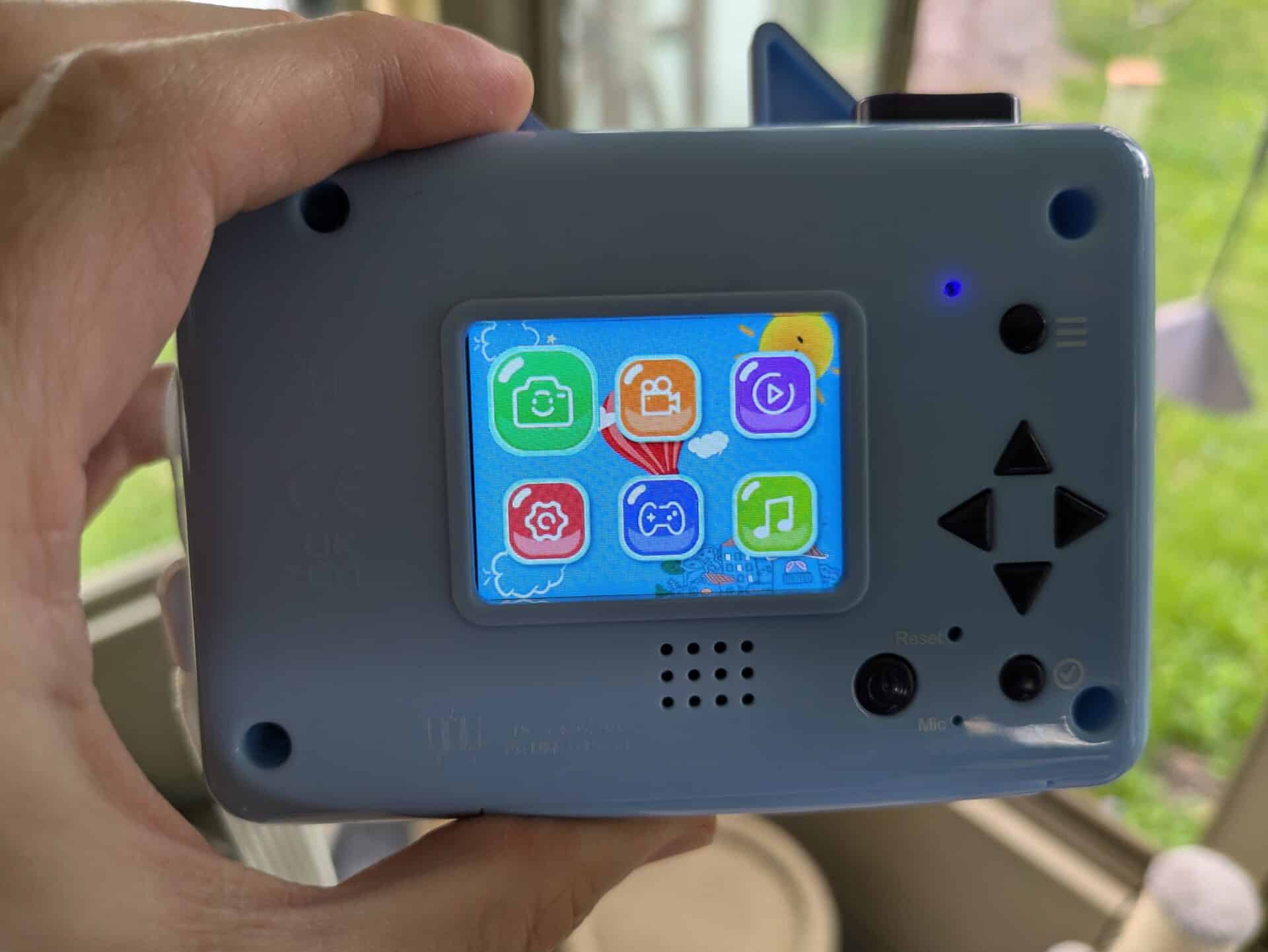
Once the device is powered on – you hold down the power button to do that – short-pressing that same button will take users to everything they might need to use it. A shutter button on top does all the picture taking. For the adults, there is a reset button that can be pressed using a pen or pencil tip.
I encountered a few frustrations with the interface. It wasn’t always clear, for instance, what pushing the different D-pad buttons did in certain submenus, and getting out of it wasn’t always intuitive either. Once in camera mode, I could push the D-pad to access previews … but couldn’t go back to camera mode using the D-pad. Instead, I had to go back to the menu, then access the camera. It would be pretty easy, in my view, for a kid to get irritated with that.
The exteriors of these cameras are all about the licensed property – Bluey, in my case – and that might lead some people to wonder if Bluey is also inside the camera. The answer is yes. While in camera mode, users can access a variety of filters, some of them Bluey and some of them not. The non-Bluey filters, to their credit, are actually kind of interesting, ranging from ones that warp the image to one particularly memorable one that adds a spooky effect to everything. The Bluey ones aren’t bad, either, sporting a variety of Bluey-themed frames that can accent whatever picture you’re snapping.
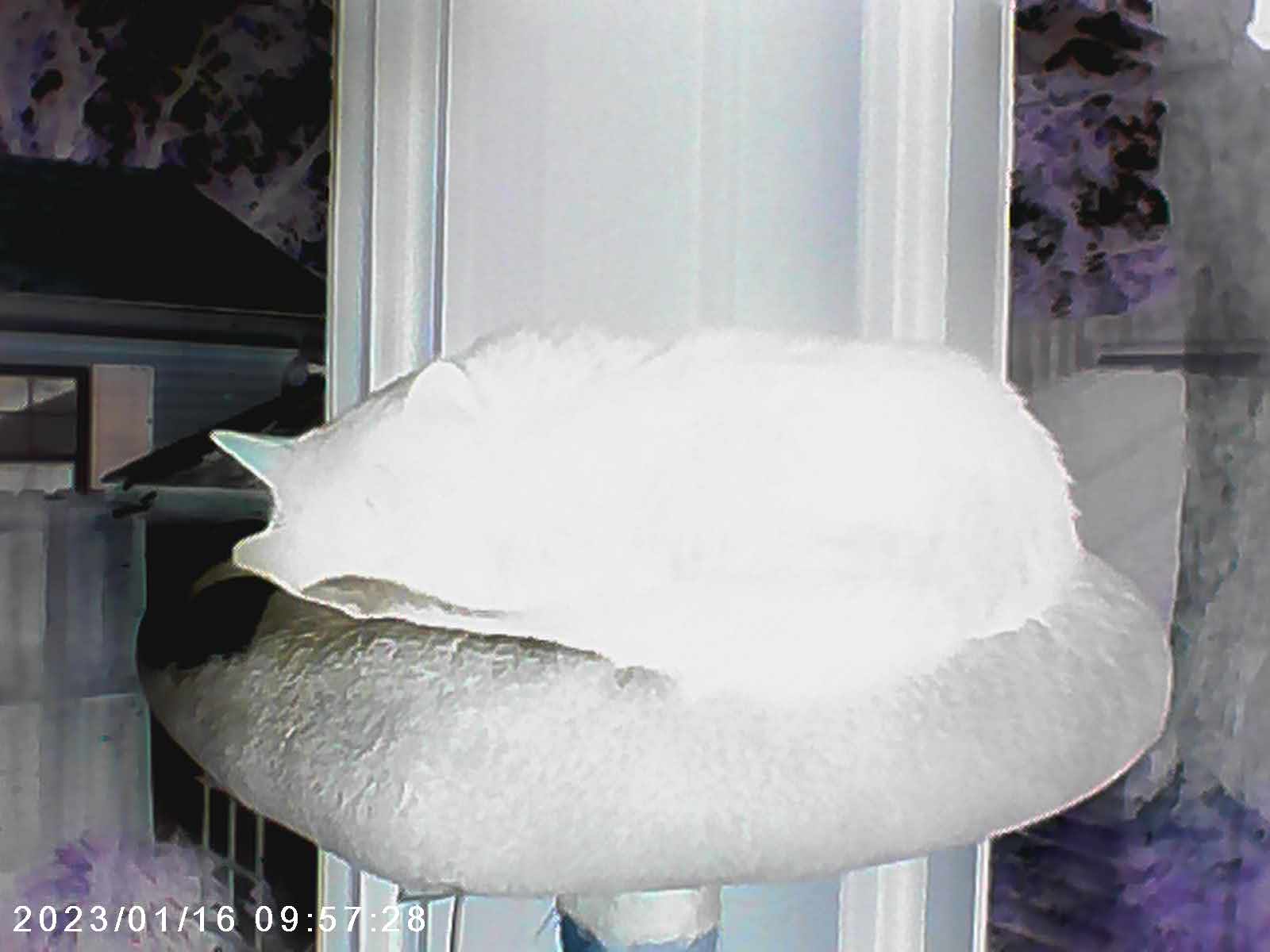
Unfortunately, the picture quality is, to put it politely, terrible. The default resolution is VGA, or 640×480, an image quality so pixelated and poor that it might has well have been taken in the 1990s.

You can up the default resolution to what the camera claims is 2 megapixels, but it’s only marginally better than VGA and looks more granulated than what I would expect from a 2 MP image.

To add insult to injury, while the non-Bluey filters will take at 2 MP, the Bluey ones will not. That’s right: the licensed frames will only take at the VGA level. If you want Bluey in your photo, you’ll have to accept the worst image setting on the camera to get her.
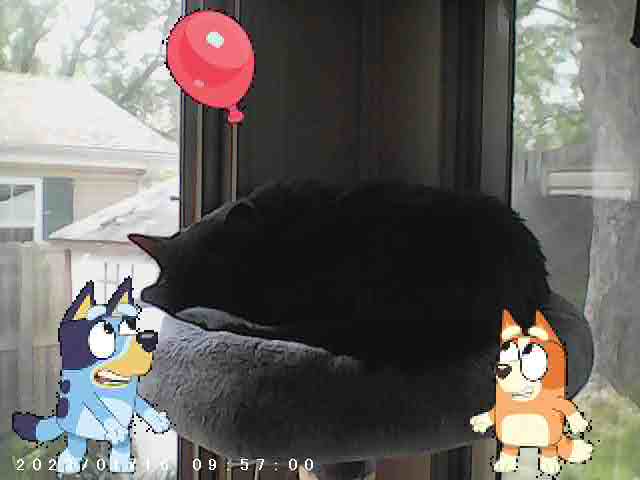
And video? If the image isn’t good, you wouldn’t expect video to be any better, and it’s not. Videos are grainy, despite being billed as 1080p. Audio is okay if the person taking the video is talking, and less okay if you’re trying to record audio from a distance.
Another video note: the camera limits video times to 1 minute. This is no doubt because video would fill up the card quickly, given that 1 minute of video adds up to around 100 MB, but it’s an obvious limitation. The camera starts a new, separate recording file after 1 minute; however, there is enough of a gap that it’s not a seamless transition.
Also, there’s no flash. The images suffer in the light, and it’s even worse in the dark.
But, hey, there is a silver lining. Because the images are so low-resolution, they’re also tiny. That pre-installed SD card will actually go a little farther, at least with photos. The average 1-minute video I took weighed in at close to 100 MBs, so it won’t take too many of those to fill the space up.
Rounding out the features are a few that aren’t strictly camera-related. The device has a means to play MP3s. The audio isn’t great, but it’s there. Also, the camera has a game mode that has a few very simple games that users can play. Not the main selling point, but also a feature. Neither the MP3 mode nor the games have any connection to the camera license, so there are no Bluey-themed adventures to be had here.
The Verdict:
If your top priority is a simple camera for a young kid, this camera does have things going for it. It’s mostly easy to use and is designed in a way to be safer and more durable for young kids. If you have a little one who likes the idea of toddling around taking pictures, this device does that.
Strictly on its merits as a camera, though, I thought it was pretty subpar. The picture quality is the biggest problem: at best it’s poor, and in the default setting it’s lousy. The fact that the lousy setting is the only setting for the Bluey frames – a major selling point for a Bluey camera – adds to the frustration. I had other quibbles, too, including the fact that getting anything to or from the camera involves unscrewing a compartment lid.